Why we built VOID around browser-local mastering
A mastering tool should help you hear your decisions. The story of VOID starts with a smaller, concrete question: how much of that work can happen right where your audio already is?
A track, a browser, and a processing chain
VOID began with a browser-local audio pipeline inside WordPress. The site provides the interface; the browser reads a selected WAV, measures it, applies processing and prepares an export. That distinction shaped the project. Selecting a track does not mean sending the recording to a remote mastering server.
The early workflow made the processing chain explicit: Trim, EQ, Dynamics, Width, Clip and Limit. You could inspect controls, bypass modules and compare the source with the result. It was a useful foundation because every automatic decision would eventually need to come back to settings a person could inspect.
Why keeping the source local matters
Working locally gives the listener a direct relationship with the file. Ordinary analysis, local Auto and export do not require an audio upload or an external AI request. It also creates practical constraints. Decoding a long file and rendering another full-length buffer take memory. Processing speed depends on the device. A browser tab is not unlimited storage or a substitute for keeping the original session safe.
That is why a useful first session starts with one finished mono or stereo WAV and a retained source copy. VOID is a tool for working on a finished track; it does not turn the stereo file back into its original stems. If the vocal needs an independent level adjustment, returning to the mix can be the more direct solution.
Automatic should still be inspectable
Local Auto added a starting point based on source measurements. The important design choice was to keep the resulting chain editable. A suggested amount of processing is something to audition. It should not become an instruction to accept a sound because a number improved.
Our next interface step was to put listening closer to importing. The current studio route brings the process together as import, listen, refine and download. Advanced controls remain available when a particular decision needs more precision.
What the development screenshots prove
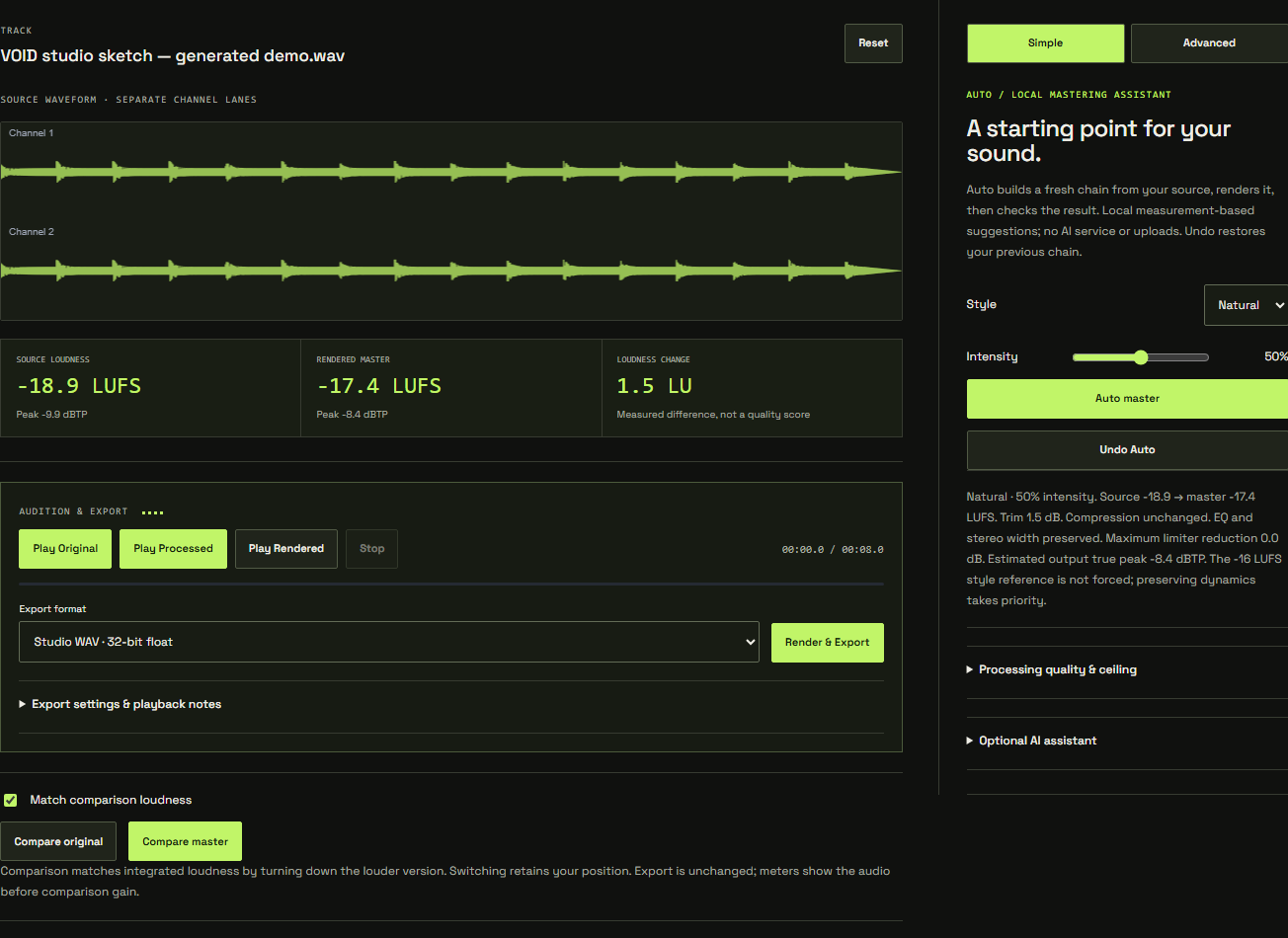
The images in this series show real development interfaces using a generated demonstration signal. They document controls and workflow changes. They are not customer results, testimonials or evidence that a particular style of music improved. That distinction matters: a successful render establishes that processing completed, while a convincing musical result still needs listening.
The same principle applies to the meters. They are there to describe the signal, not grade the song. Read our approach to loudness-matched comparison before deciding whether a master is better.
Try the principle on one track
Open the VOID studio with a WAV you know well. Listen to the original, make one restrained change and compare the same section. If you cannot describe what improved, reduce the change or undo it. The goal is a repeatable listening decision, not a more complicated chain.
There is an optional external recommendation path too. The separate chapter on local Auto and AI direction explains that boundary. Browser-local processing remains the foundation underneath it.