The master is not finished until you check the download
The final stage of the VOID journey is about connecting a listening decision to the file you actually keep.
Live playback and the checked render
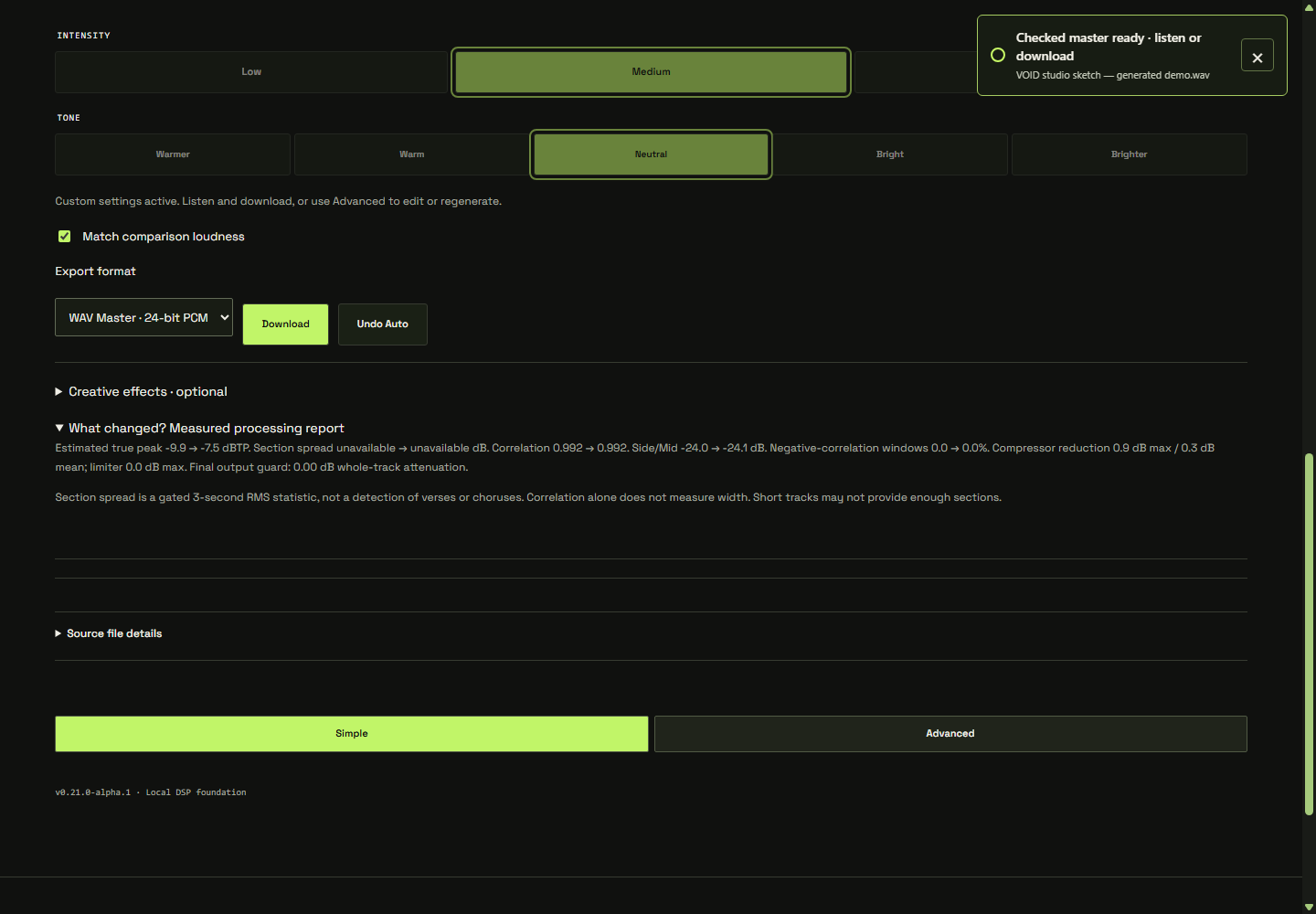
Live controls are useful because they let you hear a change while making it. Export has a different job: it must produce a complete file from a specific set of settings. The studio therefore checks the current chain with a background render after edits settle. Obsolete results are rejected, and Download waits for the settings currently selected.
This matters when you change a control and immediately request a file. The intended behavior is to wait for that revision, not quietly hand you an earlier render. When a checked render is already current, it can be reused; changing the output format requires encoding that result for the selected format.
Understand the output guard
The optional whole-track peak guard measures the completed render and, when needed, lowers its overall gain before checking again. Its role is different from the movement of a dynamics processor inside the chain. It is an estimated peak check, not a guarantee about every playback system or a claim of standards certification.
There is also a development distinction between live effects playback and the checked offline result: the live path does not include that final whole-track guard. If the guard changes level, remember which version you are auditioning. Our comparison notes explain the separate role of playback loudness matching.
Choose the file for its next job
The listening-first studio defaults to 24-bit WAV at the source sample rate. Other available WAV and MP3 choices serve different handoff needs. Choose the format your next step actually needs and keep an original source copy alongside the approved export. A different file format does not rescue a processing decision you do not like.
MP3 encoding is lossy and may change decoded peaks or introduce delay and padding. PCM encoding also changes the representation of the rendered samples. Checking the internal floating-point render is useful, but it is not identical to checking every possible final encoded file.
A final listening checklist
- Wait until the studio has checked the current settings, then download your chosen format.
- Open the saved file in a suitable player and confirm that it is the version you intended to keep.
- Listen to the beginning and ending for unwanted cuts, silence or tails, and check the expected duration.
- Listen through a quiet section, a loud section and the transitions between them. Check for clicks, distortion or changes you missed while adjusting controls.
- For a supported WAV export, re-import the saved file to inspect its decoded measurements. For MP3, use a player or analysis tool that supports decoding that file.
- Keep a clearly named approved version and the source. If something is wrong, return to the source and the intended settings.
Where this leaves the project
VOID’s development checks cover implementation behavior; representative music and level-matched listening still matter before making broad quality claims. That is a useful boundary for the whole series. The tool can expose a chain, measure a signal and prepare a file. The musical judgement still needs an attentive listener.
Return to the full listening workflow, revisit how the automatic direction is chosen, or take one familiar track into the studio. Finish with a file you have actually heard.